IOX KNX Troubleshooter · Desktop app for Windows
Find the KNX fault. Show the proof.
Connect it to the installation and it records the telegrams and finds problems automatically. Every finding says what was observed and what to check, with the evidence telegrams — from a telegram flood to a light that switched off by itself.
One-time payment · Price on request
Fault investigation
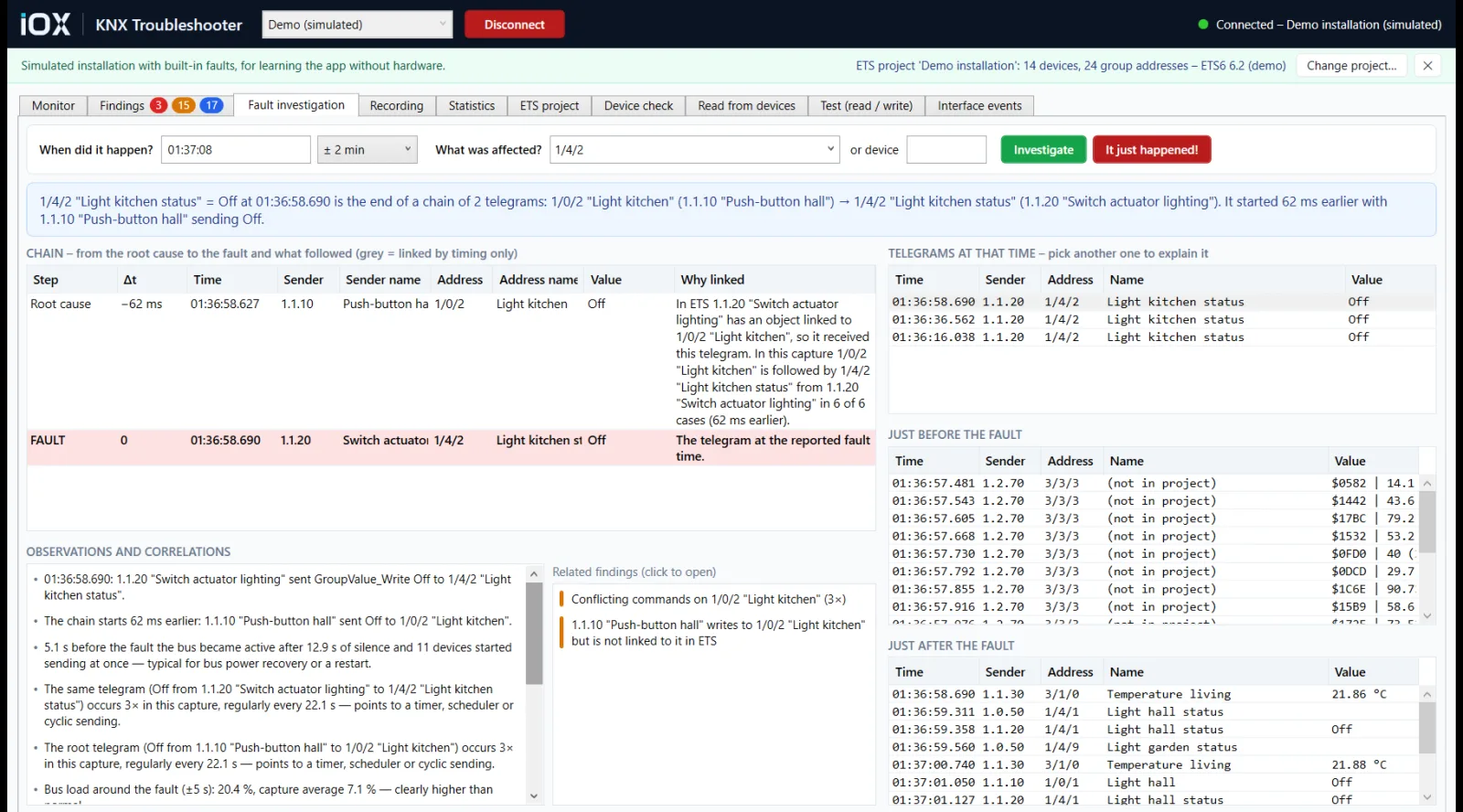
From the complaint to the root cause.
"The kitchen light switched off by itself." Enter when it happened and what was affected, and the app rebuilds the chain of telegrams that led to it — root cause, fault and consequences — with the reason for every link.
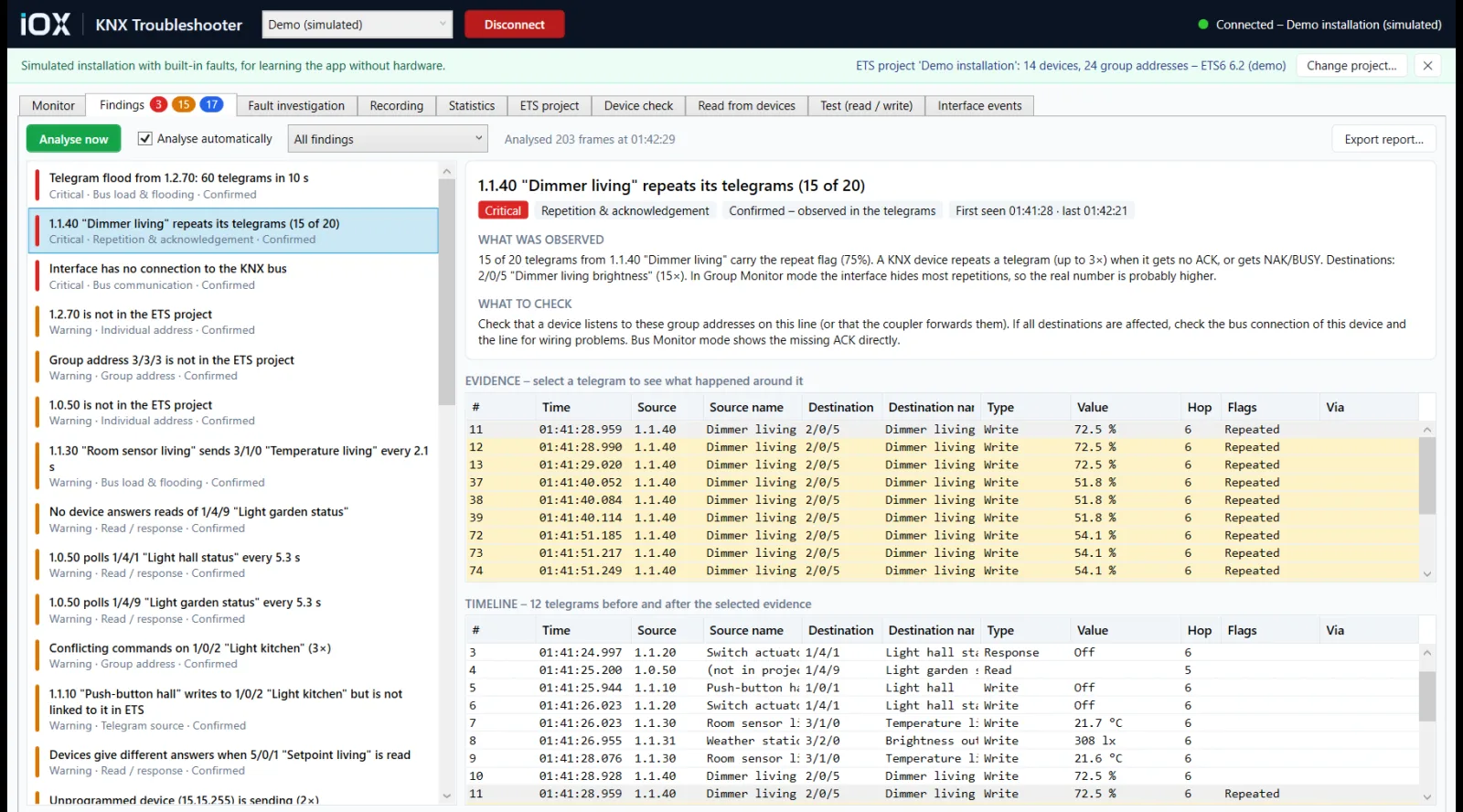
Automatic findings
It tells you what is wrong — and what to check next.
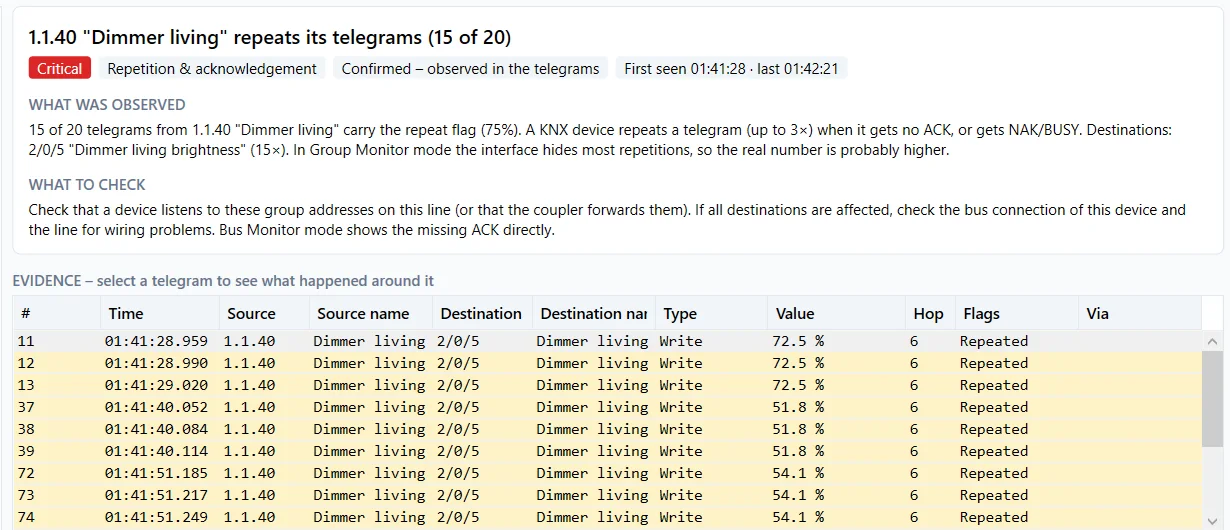
The app analyses the telegrams as they arrive. Each finding is rated Critical, Warning or Info, marked Confirmed or Suspected, and comes with what was observed, what to check and the evidence telegrams.
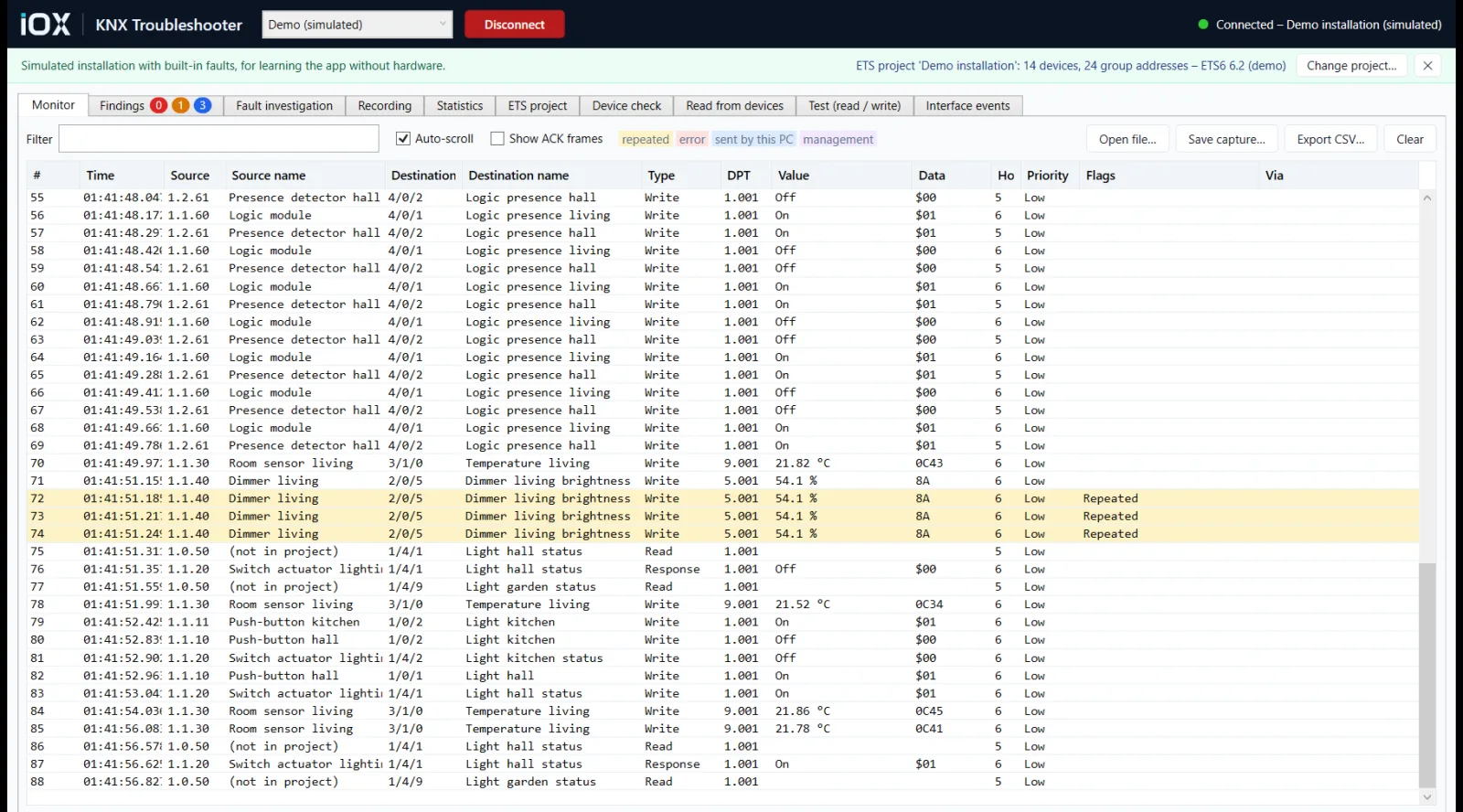
- Telegram floods, repeated telegrams and missing acknowledgements
- Conflicting commands, feedback loops, unanswered or contradicting reads
- Unprogrammed devices (15.15.255) and bus power return
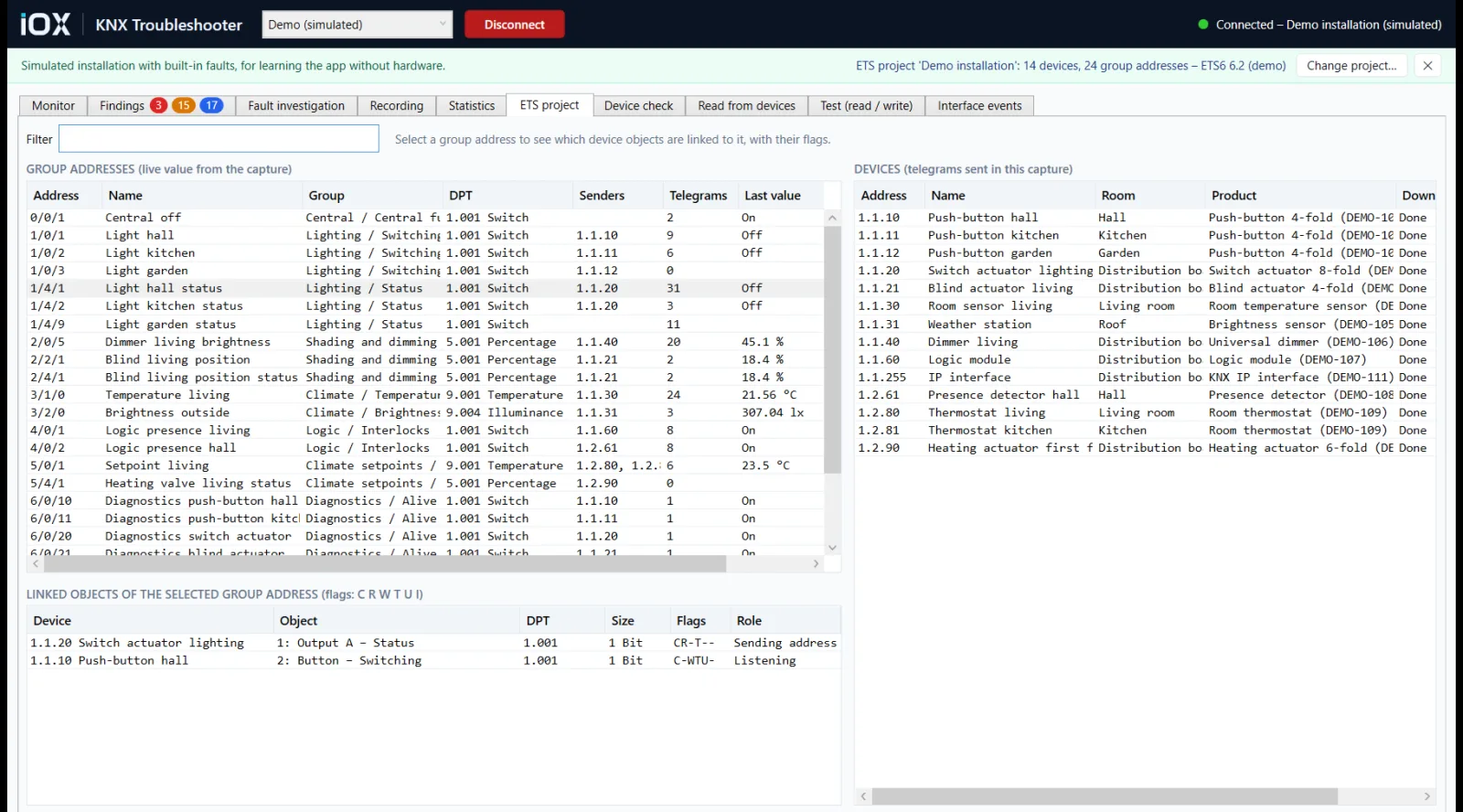
- Devices, group addresses and flags that differ from the ETS project
Device check
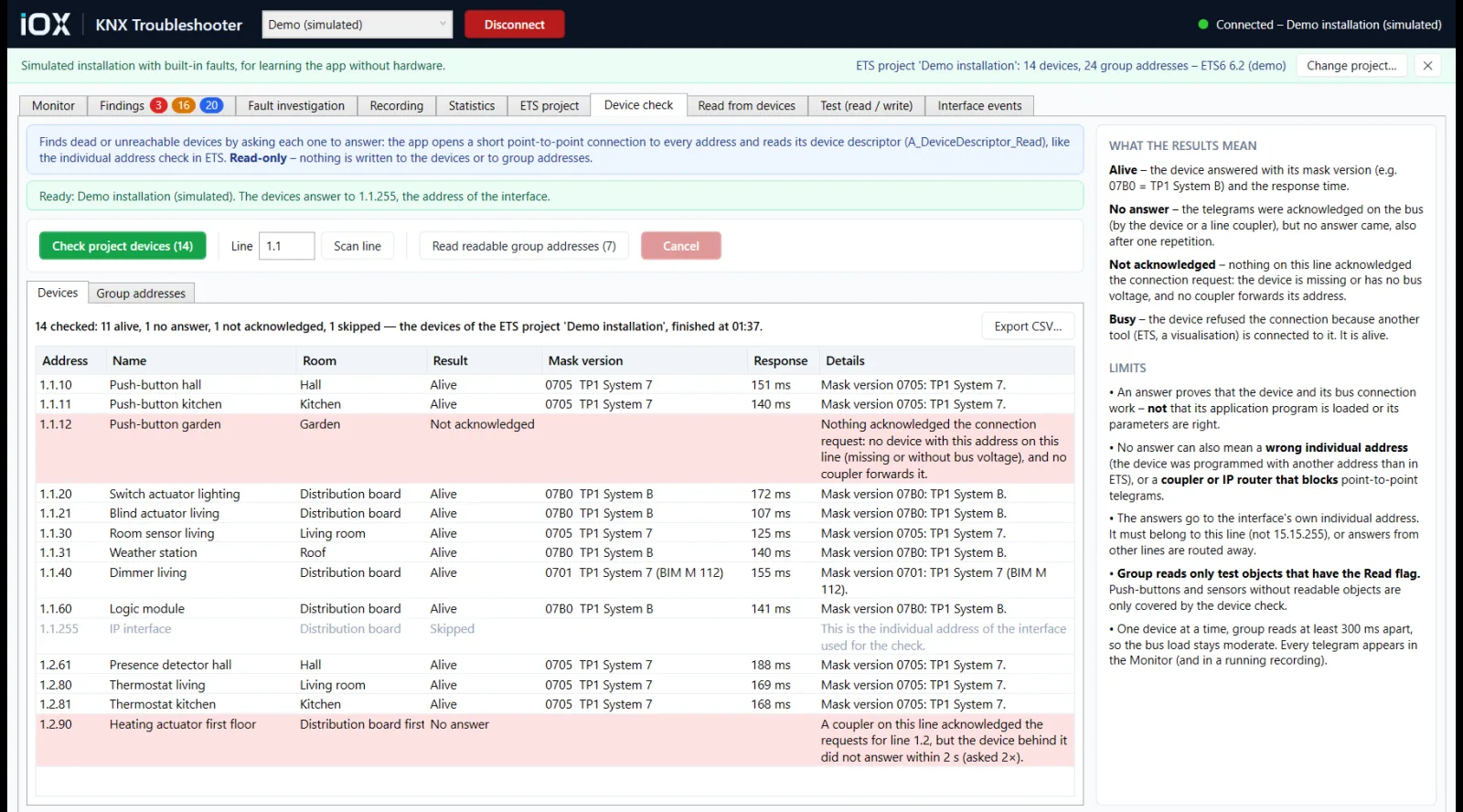
Find dead devices in seconds.
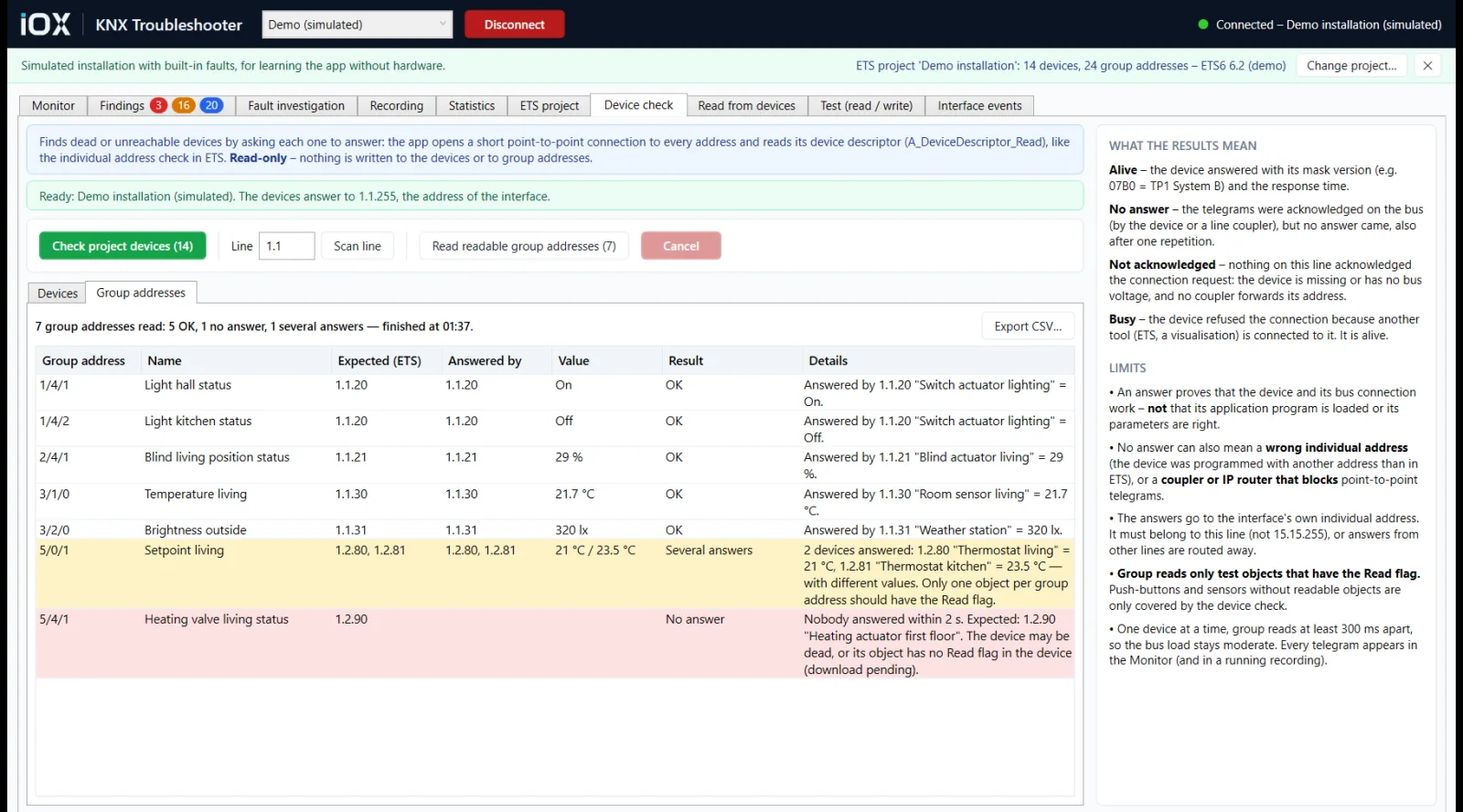
Like the individual address check in ETS, for the whole project or a whole line at once. Every device is asked to answer, and the result says why one did not. Read-only — nothing is written to the devices.
- Alive, no answer, not acknowledged or busy — with mask version and response time
- Duplicate individual addresses show up
- Optional second pass: read every readable group address and compare who answers with ETS
Read from devices
No project? Read it out of the installation.
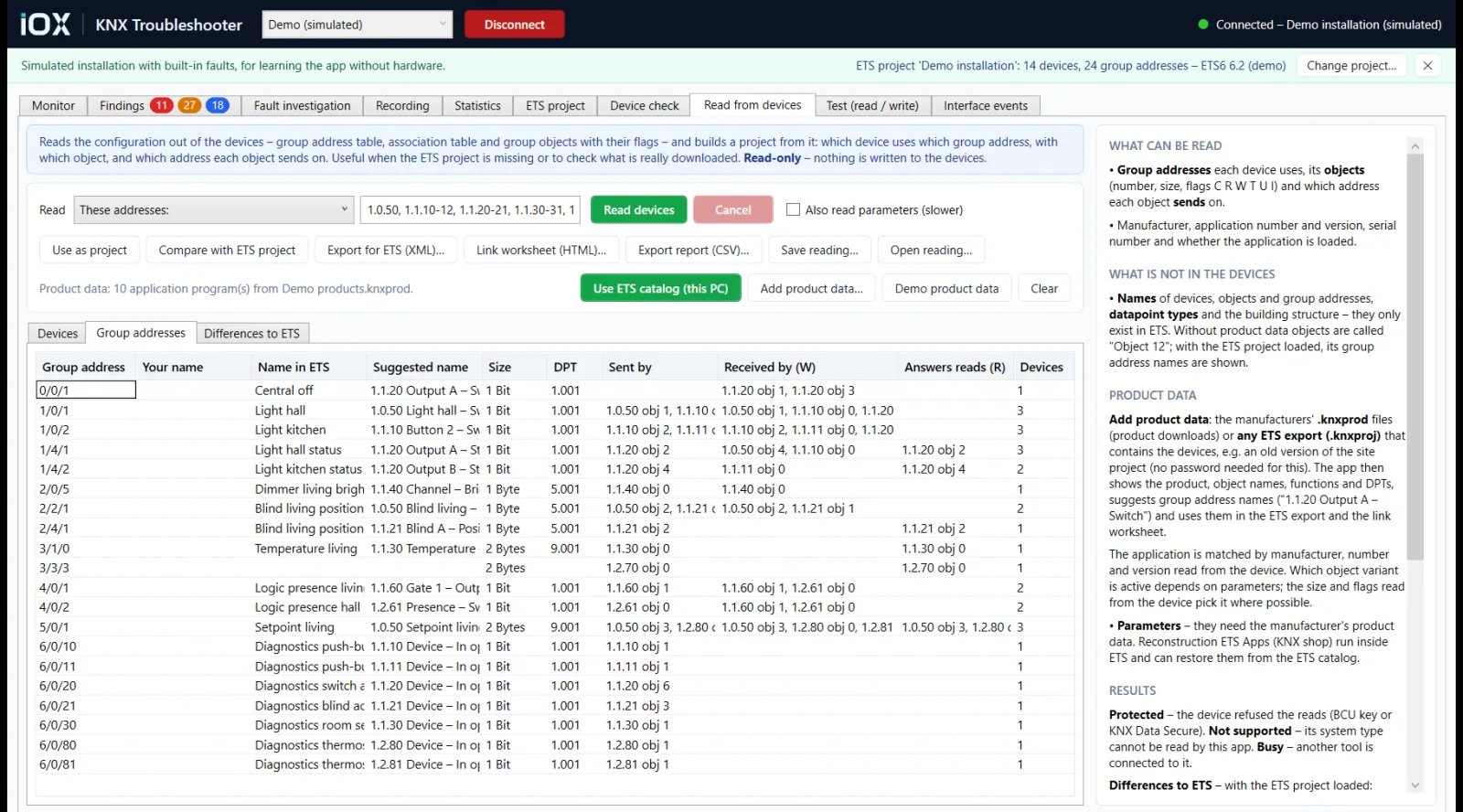
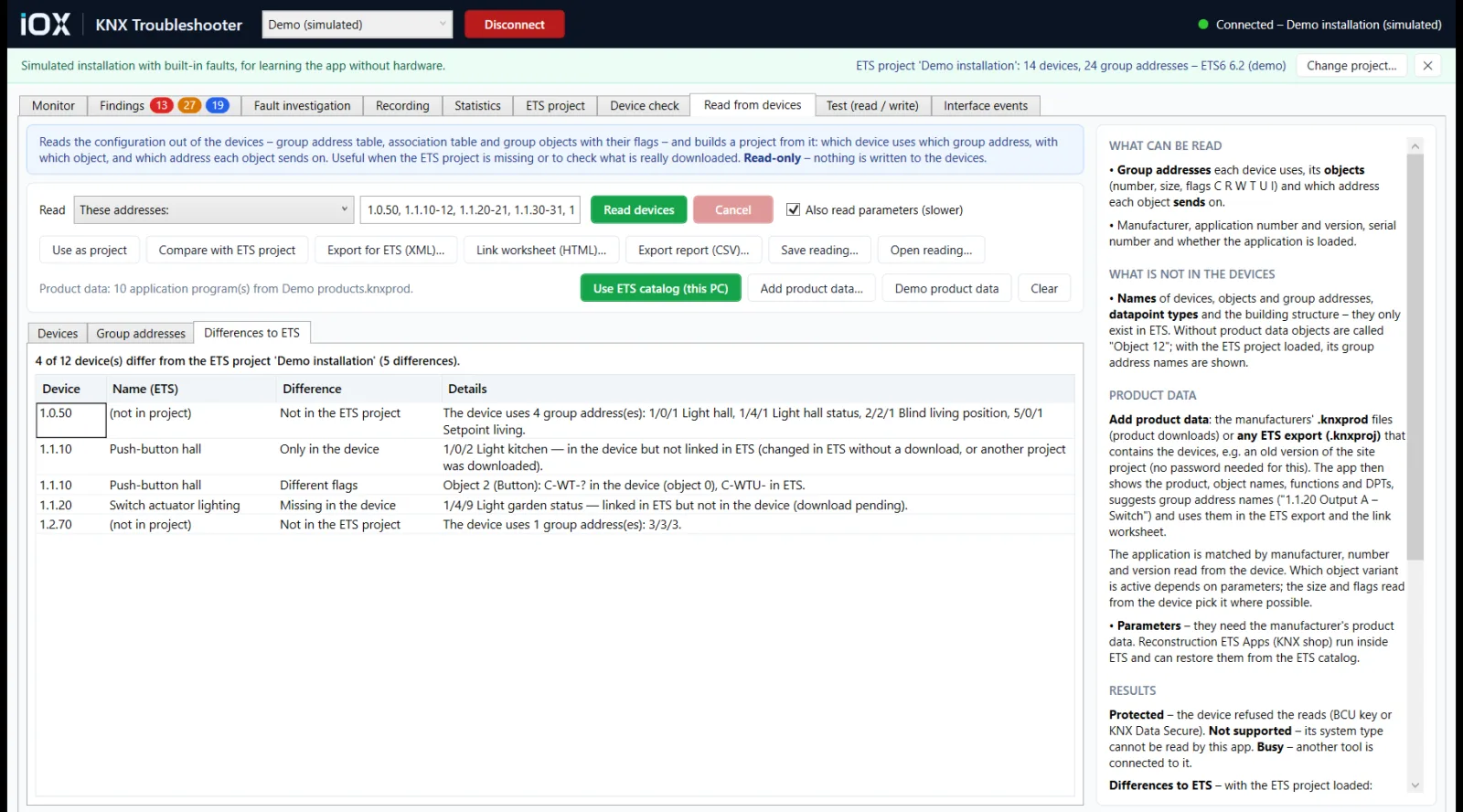
When the ETS project is missing or doubtful, the app reads the group address tables, links and group objects with their flags out of the devices and rebuilds the picture from them.
- Who sends, who listens and who answers reads, for every group address
- Compare with the ETS project: pending downloads, changes that never reached the devices
- Export the group addresses for the ETS import (XML) and a printable link worksheet
- Names and datapoint types from the manufacturers' product data or the ETS catalog on the PC
Long-term recording
For the fault that happens once a week.
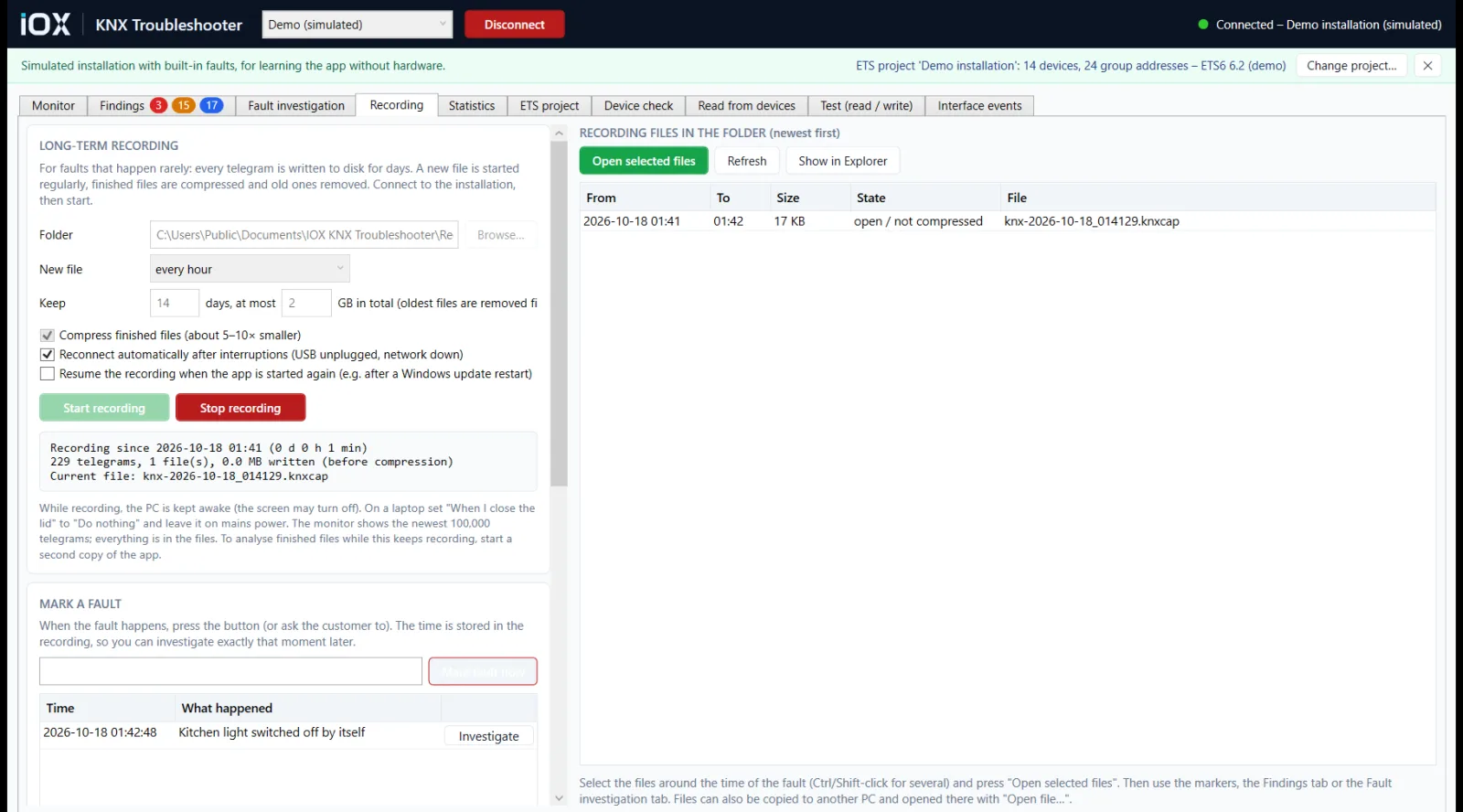
Leave a PC recording for days or weeks. When it happens, anyone on site presses Mark fault now — later, the marker opens the fault investigation at exactly that moment.
- Compressed files, automatic reconnect, keeps the PC awake, resumes after a Windows restart
- Notifications by e-mail, Microsoft Teams or any webhook — new critical findings, lost interface or bus voltage, marked faults
- A daily status message, so you know it is still running
On site
Everything else you reach for during commissioning.
Who it is for
Made for the day something is wrong.
Commissioning engineers
Before handover: check every device answers, every link matches ETS and nothing floods the bus.
Service technicians
The call that says a light switched off by itself: record, mark the moment, find the cause.
System integrators
An inherited installation or a lost project: read the group addresses and links back out of the devices.
Feature list
What is in it.
Diagnose
- Live monitor with names and decoded values, CSV export
- Automatic findings, Critical / Warning / Info
- Fault investigation: root cause → fault → consequences
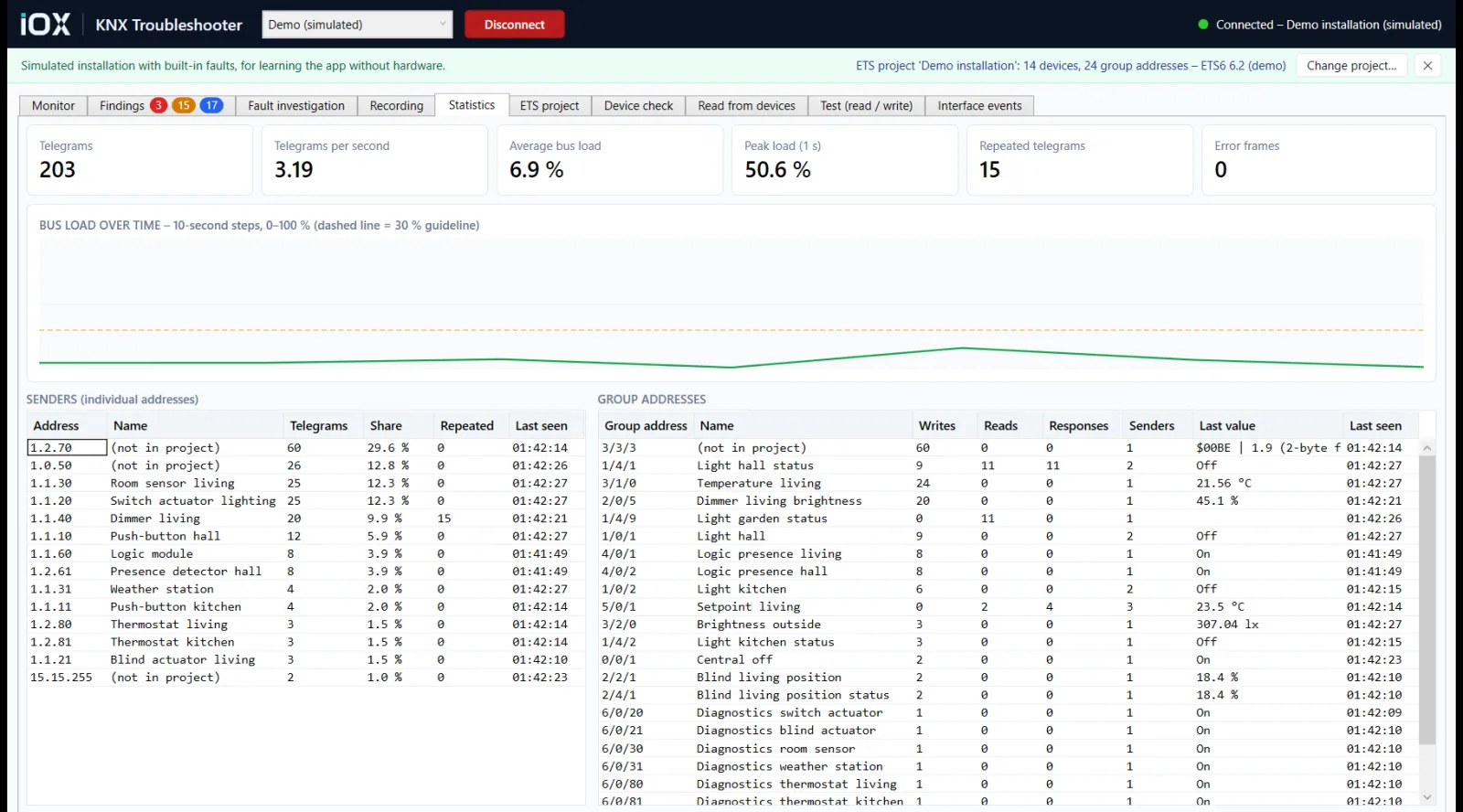
- Bus load and traffic statistics
Check
- Device check for the project or a whole line
- Readable group addresses compared with ETS
- Bus Monitor mode: ACK, NAK and BUSY, where the USB interface supports it
- KNXnet/IP routing checks
Recover the project
- Group address tables, links, objects and flags read from devices
- Differences to the ETS project
- Group addresses exported for the ETS import (XML)
- Printable link worksheet for re-linking in ETS
Record and report
- Long-term recording with Mark fault now
- E-mail, Teams and webhook notifications
- Offline analysis of ETS monitor exports and Wireshark captures
- Findings report (Markdown) and CSV exports
Getting started
From request to running.
Request a licence
Send the form below. We reply with the price, payment details and your licence key.
Try the demo
Install it on your laptop and open the built-in demo installation — typical faults to learn on, no hardware needed.
Connect on site
Plug in a KNX USB interface or pick a KNXnet/IP interface, load the ETS project export if you have it, and let it watch.
One-time payment
One-time payment · Price on request
Pay once and the licence is yours to keep — no subscription, no renewal. Tell us how many PCs it is for and we send the price, payment details and your licence key.
What you need
- A Windows PC with the .NET 10 Desktop Runtime
- A KNX USB interface, or a KNXnet/IP interface or router on the network
- Optional: the ETS5 or ETS6 project export (.knxproj, also password-protected) for names and project checks
- English user interface
Questions
Answered.
Will it change anything in the installation?
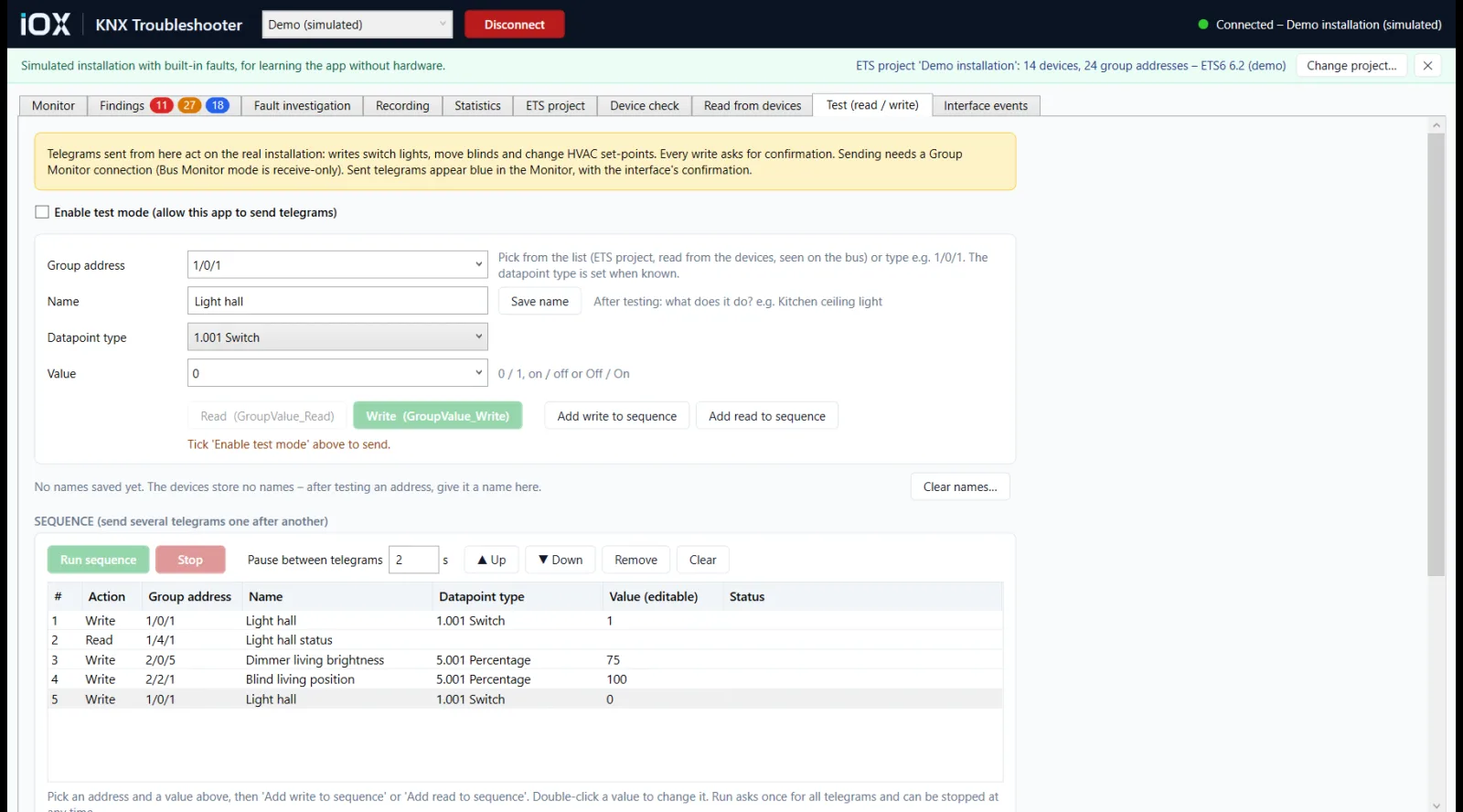
Not unless you ask it to. It is read-only by default: the monitor, the device check and reading from devices only read. Sending telegrams needs an explicit test mode, and every write asks for confirmation.
Which interfaces does it work with?
KNX USB interfaces — Group Monitor, and Bus Monitor where the interface supports it — and KNXnet/IP tunnelling and routing. A built-in demo installation lets you learn it without hardware.
Do I need the ETS project?
It helps but it is not required. With an ETS5 or ETS6 project export you get names, datapoint types and project-against-bus checks. Without one, the app can read group addresses, links and objects back out of the devices.
Can it rebuild my ETS project file?
Not as a .knxproj — ETS only imports projects that ETS itself exported. It exports the group addresses in the ETS import format (XML) and a printable link worksheet for re-linking in ETS. Secured (KNX Data Secure) or password-protected devices are reported as protected and cannot be read.
Does it measure the bus electrically?
No. Voltage, noise and wiring quality need a bus tester or a multimeter. Missing acknowledgements show directly in Bus Monitor mode on USB interfaces that support it; in Group Monitor mode those findings are marked Suspected.
Is it a subscription?
No. IOX KNX Troubleshooter is a one-time payment: you buy the licence once and keep it.
IOX KNX Troubleshooter
Request a licence.
Tell us who it is for and how many seats you need. We reply with the price, payment details and your licence key — usually within one business day.